TiviPlayer
English
Discover

Everything TiviPlayer does.

A closer look at the features that exist in the app today — organised by what you want to do.

Bring your own sources

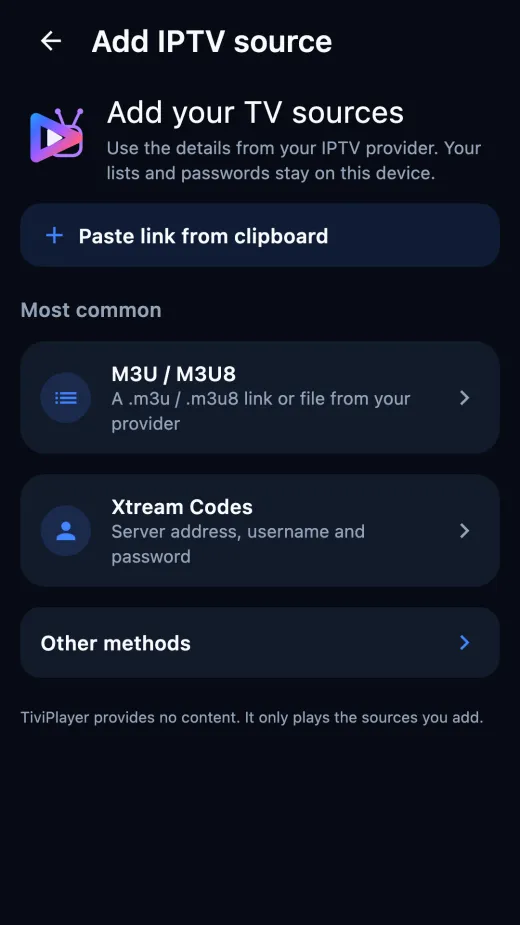
TiviPlayer starts empty and plays what you add. Paste an M3U/M3U8 link or choose a file, enter Xtream Codes details, or use other supported methods.

  • M3U / M3U8 from a link or a file
  • Xtream Codes: server address, username and password
  • Stalker Portal, Enigma2, TVHeadend and single stream links
  • Your lists and passwords stay encrypted on your device
Add IPTV source screen

Browse the way you think

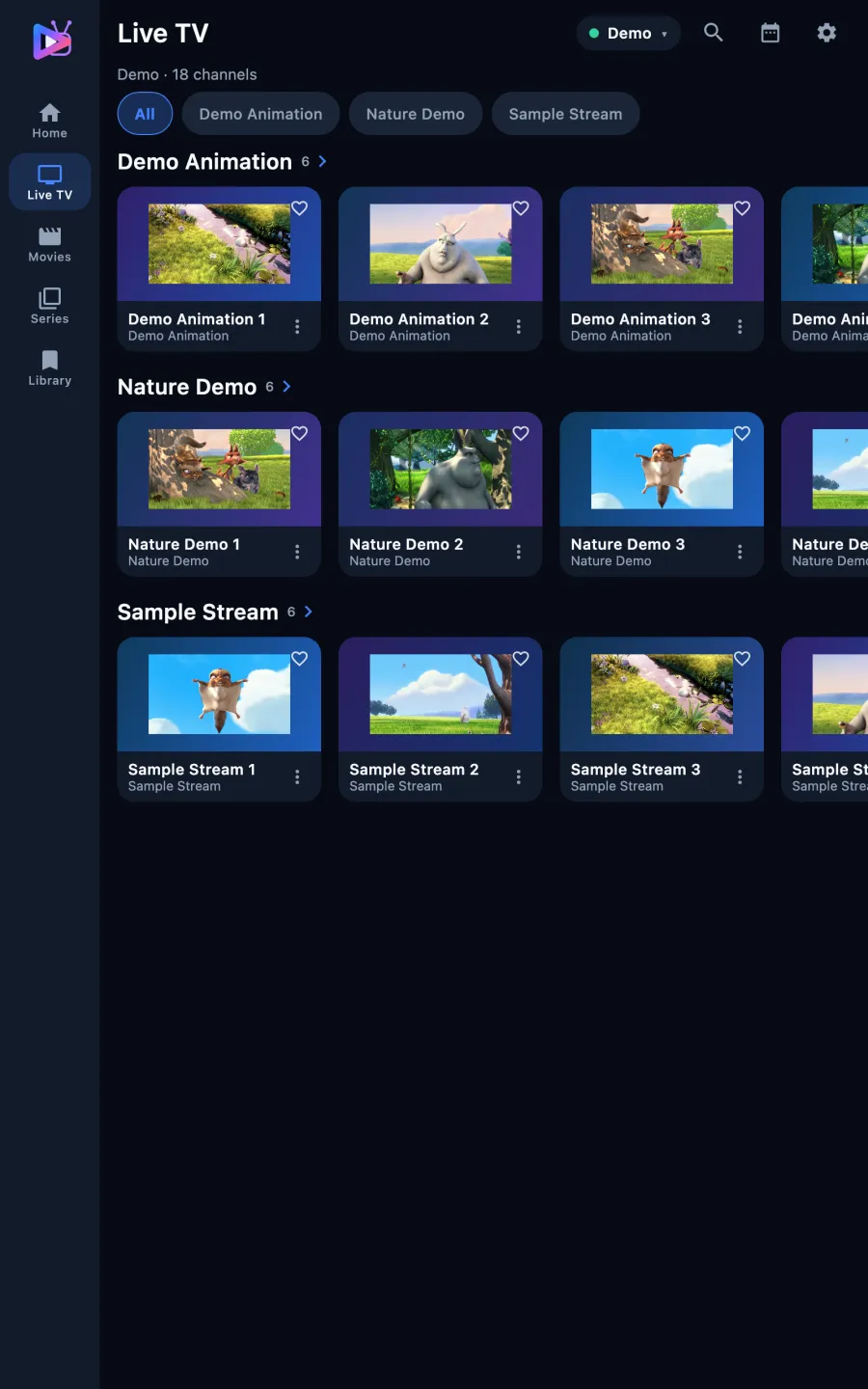
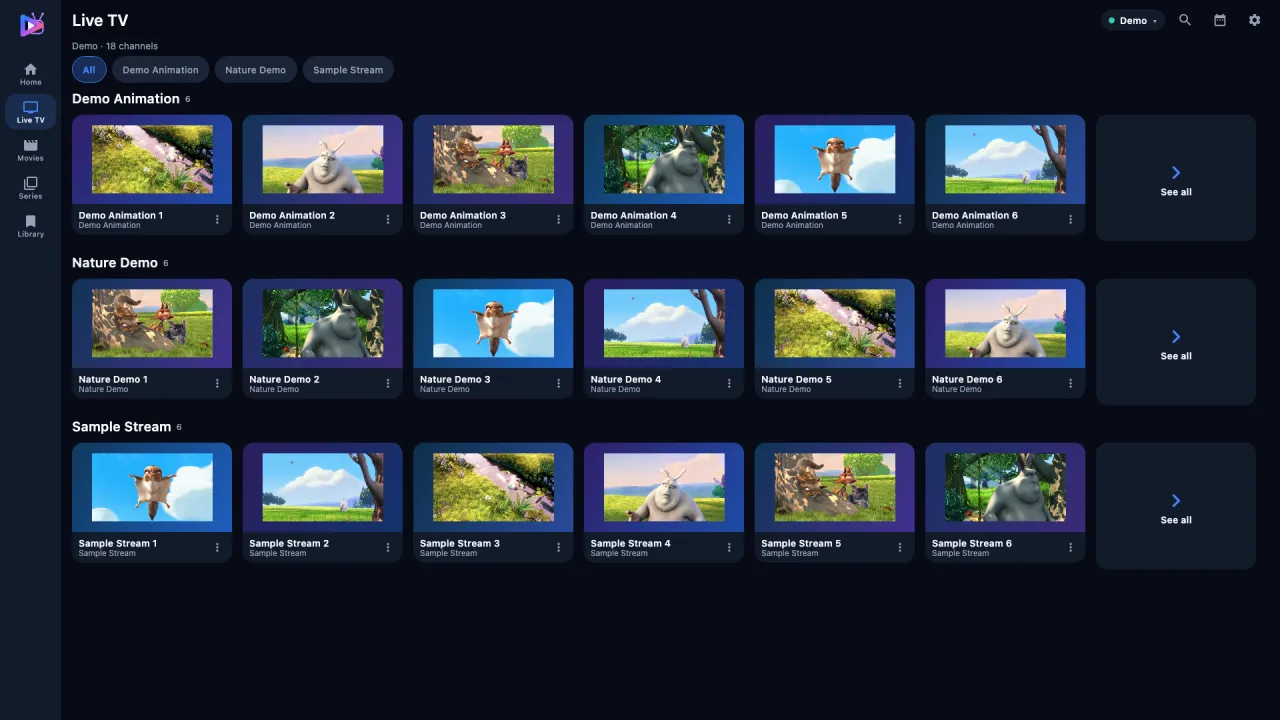
Live channels, films and series are organised by category. Search the whole source, mark favorites and pick up exactly where you left off.

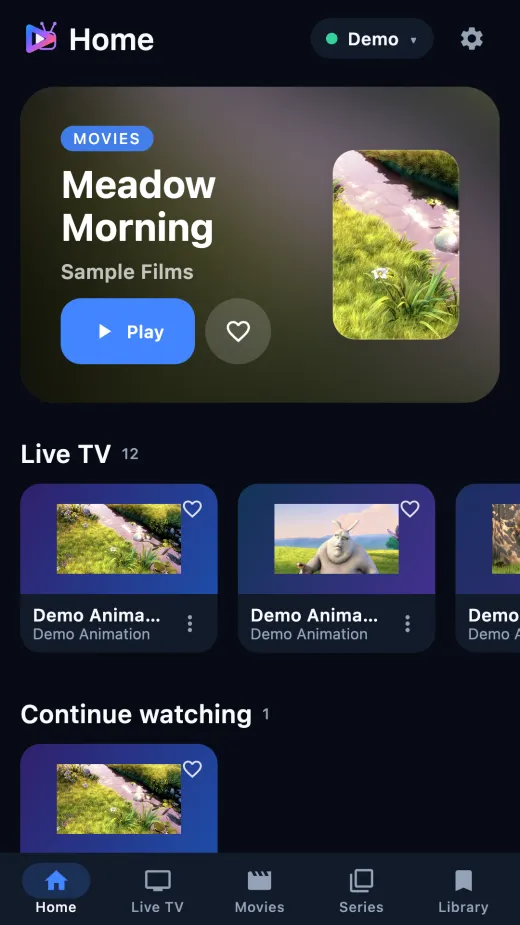
  • Home, Live TV, Movies, Series and Library
  • Search with recent searches
  • Favorites and Continue watching
  • Hide categories you do not need
Live TV screen on a tablet

A programme guide that fits

If your source provides an XMLTV guide, TiviPlayer shows what is on now and next and lets you set reminders so you do not miss a start.

  • Add the guide (XMLTV) URL in the source settings
  • Now and Next on every channel
  • Reminders with an optional event name
Live TV on a TV screen

Watch on your terms

A clean full-screen player with the controls you need and nothing you do not.

  • Choose audio and subtitle tracks when the stream offers them
  • MultiView: 2 or 4 streams at once, depending on your device and provider
  • HLS and DASH streams
  • Cast to a Chromecast-enabled screen from phones and tablets
Full-screen player

Yours to control

Manage several sources, lock sensitive categories behind a PIN and use TiviPlayer in your language.

  • Parental control: lock adult categories behind a PIN
  • Several sources in one app
  • 12 languages
  • Source setup from phone to TV with a QR code
Home screen

Built for your own sources.

M3U & M3U8

Add your own M3U/M3U8 link or file.

Xtream Codes & more

Connect with Xtream Codes, Stalker Portal, Enigma2, TVHeadend or single stream links.

Browse and search

Channels, films and series organized by category, with search.

Favorites and resume

Save favorites and continue exactly where you left off.

Programme guide

If your source provides an XMLTV guide, see what is on now and next, and set reminders.

Multi-view

Watch 2 or 4 streams at once, depending on your device and provider.

Audio & subtitles

Pick audio and subtitle tracks when your stream offers them.

Parental control

Lock categories behind a PIN.

Several sources

Manage more than one source and hide categories you do not need.

Phone to TV setup

Send your source details from your phone to your TV with a QR code instead of typing them with a remote.

Cast to your TV

On phones and tablets, send playback to a Chromecast-enabled screen.

12 languages

English, Türkçe, Deutsch, Français, Español, Italiano, Português (Brasil), العربية, Русский, Bahasa Indonesia, Nederlands and Polski.